Transfer photos from a Google Pixel to a Mac
Google Photos is the Pixel's default answer and it keeps your photos in Google's account. Over a cable you get plain folders on a disk you own.
19 September 2026
Plug the Pixel into the Mac, pull down the notification shade, tap the USB notification and choose File transfer. The phone charges in any mode, so without that step nothing on the Mac will see it — which is the cause of most “Pixel not showing up on Mac” searches.
Google does not ship a desktop app for this. Quick Share exists for Windows and not for macOS, and Android File Transfer was discontinued in 2024. So the options are the web, a cable, or a third-party app.
The Google Photos route, and its catch
On a Pixel, everything is already in Google Photos. Downloading from photos.google.com works: select what you want and you get a zip, or run Google Takeout for the whole library and get a pile of numbered archives with the dates in sidecar JSON files instead of in the images.
The catch is what “Free up space” does. In Google Photos it deletes the local copy of anything that has been backed up. The photo is still in your Google account and still on your phone as a thumbnail, but the full-size file has left the device. That is a fine way to reclaim storage and a poor way to end up with your photos on a disk you own — and once it has run, a cable cannot copy what is no longer there.
If you are trying to get off Google One, do the copying first and the freeing second, in that order.
Where a Pixel keeps things
DCIM/Camera— the camera roll, including Motion Photos, which are one file each and copy like any other.Pictures/Screenshots— screenshots.Pictures/— saved and edited images, and app folders.Movies/— some video, depending on which app recorded it.Download/— anything you saved from a browser.
Raw files from Pixel’s camera and the .MP motion photos are ordinary files as
far as a Mac is concerned. Nothing special is needed to move them.
The free way over a cable
Switch the USB mode to PTP instead of File transfer and macOS treats the Pixel as a camera. Image Capture — already in Applications — lists the camera roll and imports it.
Its limits: camera folder only, so no screenshots and nothing from apps; one flat pile rather than folders by date; no memory of what it imported last time; no verification that the copy matches the original; and if the cable comes loose you start over.
That is a reasonable tool for a weekend’s photos and a bad one for four years of them.
Doing it with RollFerry
RollFerry is a small Mac app that does one thing — photos and videos, phone to Mac, over USB.
- Plug in. It reads the camera folders, screenshots and, if you switch them on, Downloads and WhatsApp media. A phone with 700 items takes about five seconds to read.
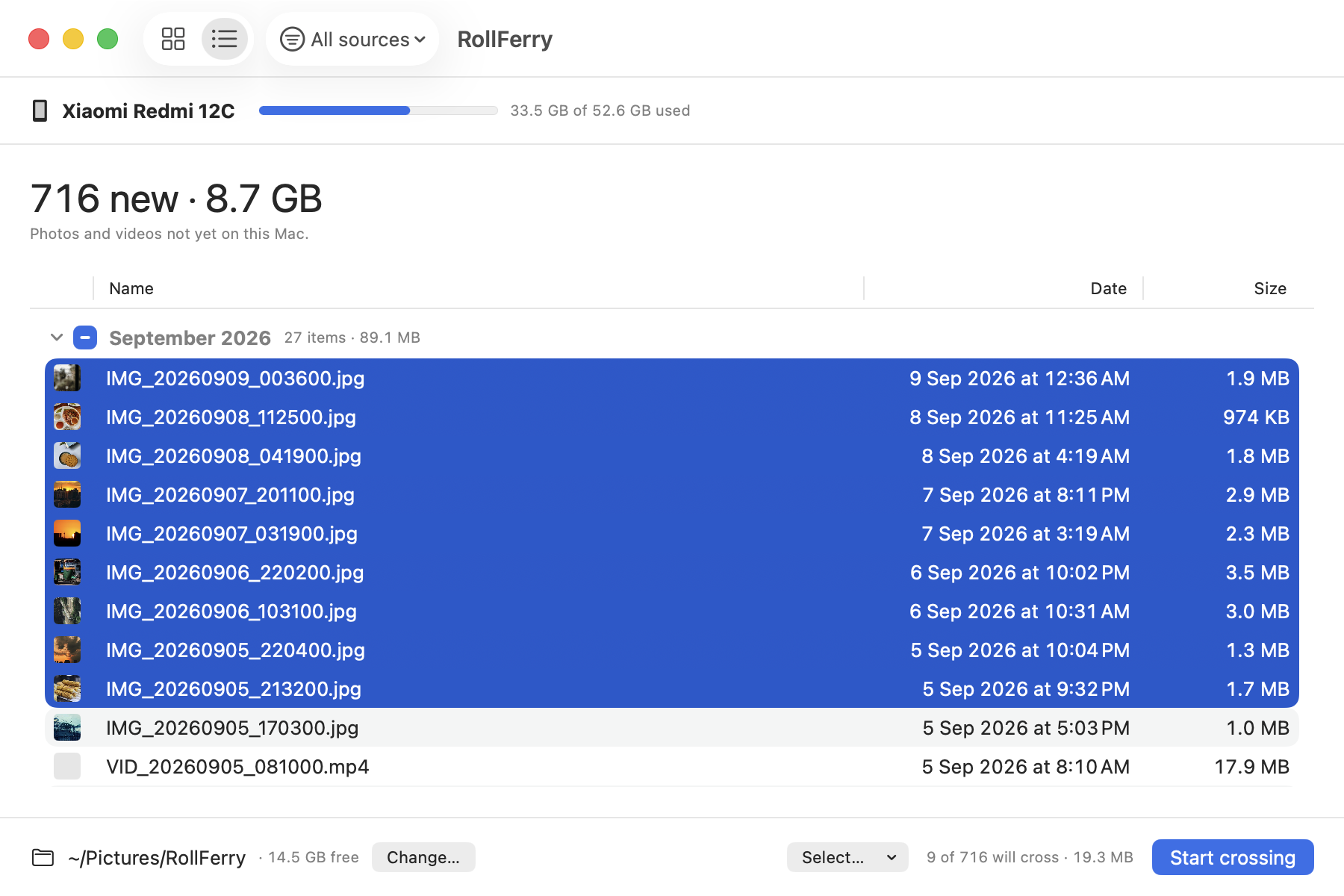
- See what is new. It keeps a record of everything it has copied before, so the grid shows only what is not on the Mac yet, grouped by month, with thumbnails from the phone. Pick a month, a range, or everything.
- Cross. Each file is copied, then checked byte for byte with SHA-256. A tick means it landed. Unplug halfway and you lose at most the file that was in flight; plug back in and it picks up from there.
Everything lands as ordinary files in 2026/08 folders on the Mac or an
external drive. No account, no upload, nothing renamed. Turn the Wi-Fi off and
every part of it still works.
When you want the phone’s storage back, RollFerry will offer to delete what it copied — and only after re-checking, file by file, that a verified record exists and the copy is still on your Mac at the right size. Anything that fails either check stays on the phone.
What I have actually tested
A OnePlus Nord CE 2 and a Xiaomi Redmi 12C, on the desk, end to end. Pixels are reported working and use the same File transfer mode, but I have not tested one myself and will not claim I have.
The trial covers this: scanning and browsing are free and unlimited, so you can plug the Pixel in and see it find your photos before paying anything. If something is wrong on your model, write to hello@rollferry.com with the model and what you saw.
If the Pixel does not show up
- USB notification → File transfer.
- Quit Preview, Image Capture and Photos. macOS starts a camera service when any of those are open, and it claims the phone first.
- The cable from the phone’s own box — charge-only cables look identical.
- Straight into the Mac rather than through a hub.
Details for each in Android File Transfer not working on macOS, and if the real problem is the Google One bill, see Google Photos storage full.