Google Photos storage full: move it to a drive
Takeout exports the library to your Mac in archives; a cable copies the originals straight off the phone. Do the copying before you free up any space.
19 September 2026
There are two ways off Google One, and they answer different questions. Google Takeout exports what Google is holding. A cable copies what is still on the phone. Most people want both, in that order, and the order matters more than the method.
First: do not press “Free up space” yet
Google Photos has a Free up space button that deletes the local copy of anything already backed up. It is the fastest way to reclaim storage on the phone, and it is a trap if your plan is to end up with the files on a drive you own — once it has run, the full-size originals are only in Google’s account, and no cable can copy what is no longer on the device.
Copy first. Verify. Then free space. That is the whole guide, really.
Route 1: Google Takeout, for what is only in the cloud
Go to takeout.google.com, deselect everything, select Google Photos, and choose
which albums. Ask for .zip or .tgz archives, and pick a part size that suits
your disk.
What you get, and it is worth knowing before you start:
- Several numbered archives rather than one file, delivered over hours or days.
- A folder tree by album and year, with the photos inside.
- A
.jsonsidecar next to each photo carrying the date, the description and the location. Some of that metadata is in the sidecar rather than in the image itself, so an importer that ignores the JSON will show wrong dates. - Edited versions and originals as separate files, in some cases.
Takeout is the only way to get items that exist solely in your Google account. It is not a pleasant afternoon, but it is complete, and it is free.
Route 2: the cable, for what is still on the phone
Anything shot on the phone and not yet purged is still there in DCIM/Camera
with its real filename and its real date in the file. Copying that over USB
gives you plain files with correct dates and no sidecars to reconcile.
The free way: set the phone’s USB mode to PTP, open Image Capture from your Applications folder, and import the camera roll. It sees the camera folder only, produces a flat pile of files, keeps no record of what it has already taken, and does not check that the copy matches the original. Fine for a few hundred photos.
With RollFerry: it is a Mac app built for exactly this move.
- Plug in with the phone in File transfer mode. It reads the camera folders, screenshots and, optionally, Downloads and WhatsApp.
- See what is new — only what is not on your Mac yet, by month, with thumbnails from the phone. Take one year, or everything.
- Cross. Each file is copied and then verified byte for byte with SHA-256 before it counts. Unplug halfway and you lose at most the file in flight.
The destination can be an external drive, which is usually the point of the
exercise: 2 TB of spinning disk costs less than a year of Google One and does
not renew. Files land in 2026/08 folders, unrenamed and unaltered.
Then, and only then, free up space
Once the photos are on the drive, you have two separate things to reclaim:
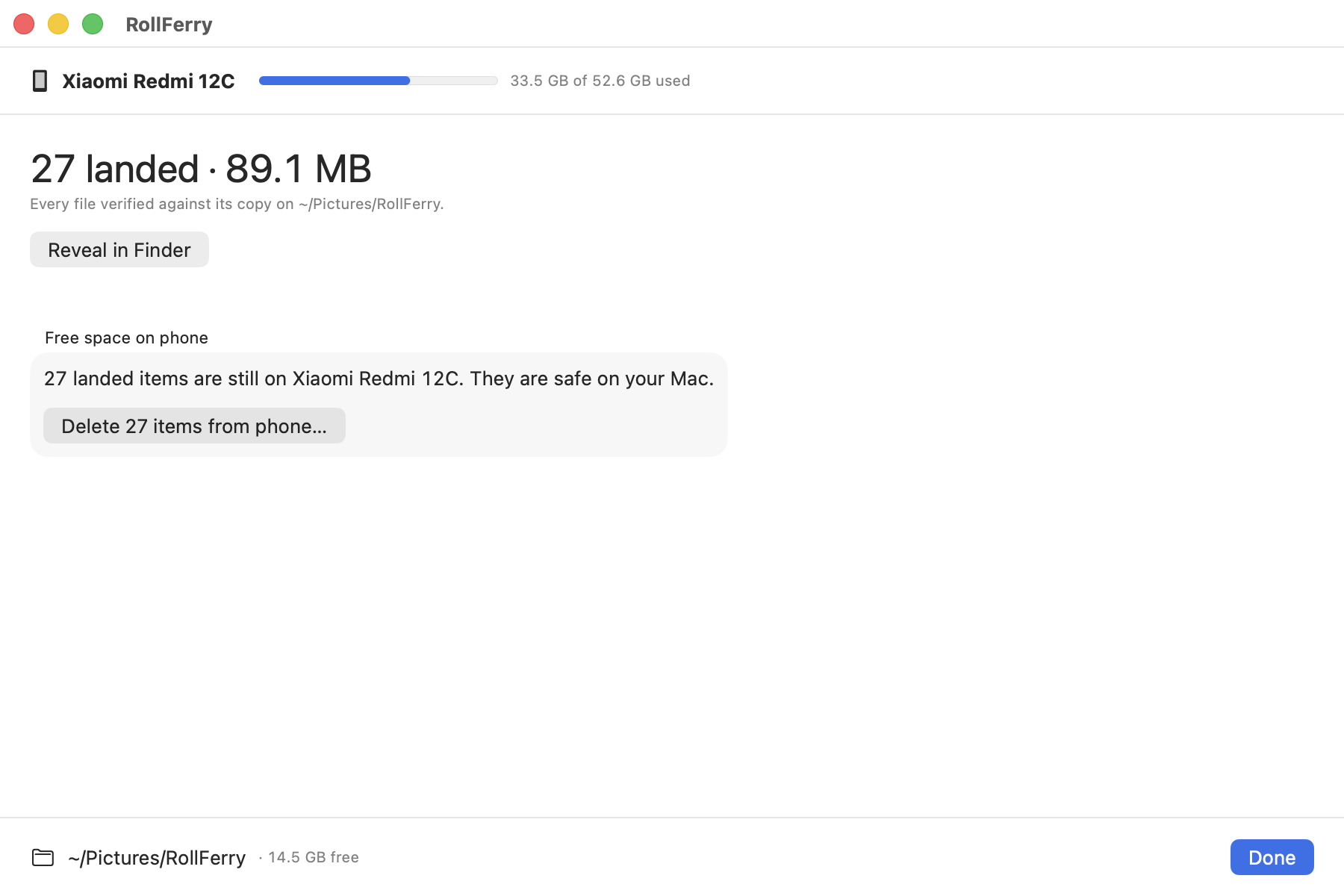
On the phone. RollFerry’s free-space step deletes only what it has verified, and only when you start it. At that moment it checks each file twice — a verified record from the copy, and the copy still sitting on your Mac at the recorded size — so a file you moved or deleted afterwards is kept back rather than lost. Anything that fails either check stays on the phone and is named in the report.
In your Google account. That is a separate decision and a separate risk. Before deleting anything from Google Photos, open a few of the files on the drive and check they are what you think they are. Once you have your own copies and have looked at them, dropping to the free tier is straightforward.
A reasonable order:
- Takeout for anything the phone no longer has.
- A cable for everything the phone still has.
- Check the drive, with your eyes, opening real files.
- Back the drive up somewhere — a second disk, or a service you trust.
- Free the phone’s storage.
- Downgrade the Google One plan.
Two things people get wrong
Deleting from Google Photos can delete from the phone. With backup and sync on, the app treats the two as one library — removing a photo in the app removes it in both places. Do the copying before you start tidying anything.
A Takeout archive is not a backup. It is a download that sat on your Mac once. Unpack it, look at it, and then copy it somewhere second, because a zip nobody has ever opened is a bad place to keep ten years of photographs.
What this costs
Takeout is free. Image Capture is free. RollFerry is $29 once, for one Mac and every 1.x update, and the trial scans and browses without limit so you can see what it finds before paying. Download it, or read how it compares to the alternatives.