Android File Transfer not working on macOS
Google discontinued it in 2024, so it fails on current macOS more often than not. Check the phone's USB mode first, then what else is holding the phone.
19 September 2026
The usual symptoms are one of two messages. Either “Could not connect to device. Try reconnecting or restarting your device.” or “No Android device found” — and then the phone shows a charging notification and nothing else happens.
Work through these in order. The first two fix most of it, and they are worth checking whatever app you end up using.
1. The phone is not in File transfer mode
This is the cause more often than anything else, and it is invisible: the cable is in, the phone is charging, so it looks connected.
Android defaults to charging-only. You have to say otherwise, every time on some phones:
- Plug the phone into the Mac.
- Pull down the notification shade on the phone.
- Tap the USB notification — it usually says Charging this device via USB.
- Choose File transfer (some phones call it MTP or Transferring files).
If the phone offers PTP or Transfer photos, that is a different mode: it makes the phone look like a camera, which Image Capture can read but a file browser cannot.
Two phone-specific traps worth knowing:
- Xiaomi and Redmi: turning on USB debugging takes the phone out of File transfer mode. If you enabled developer options recently, set the USB mode again.
- OnePlus: after an unplug and replug, some models come back in a different mode on their own, including MIDI. Check the notification each time.
2. Something else on the Mac has already claimed the phone
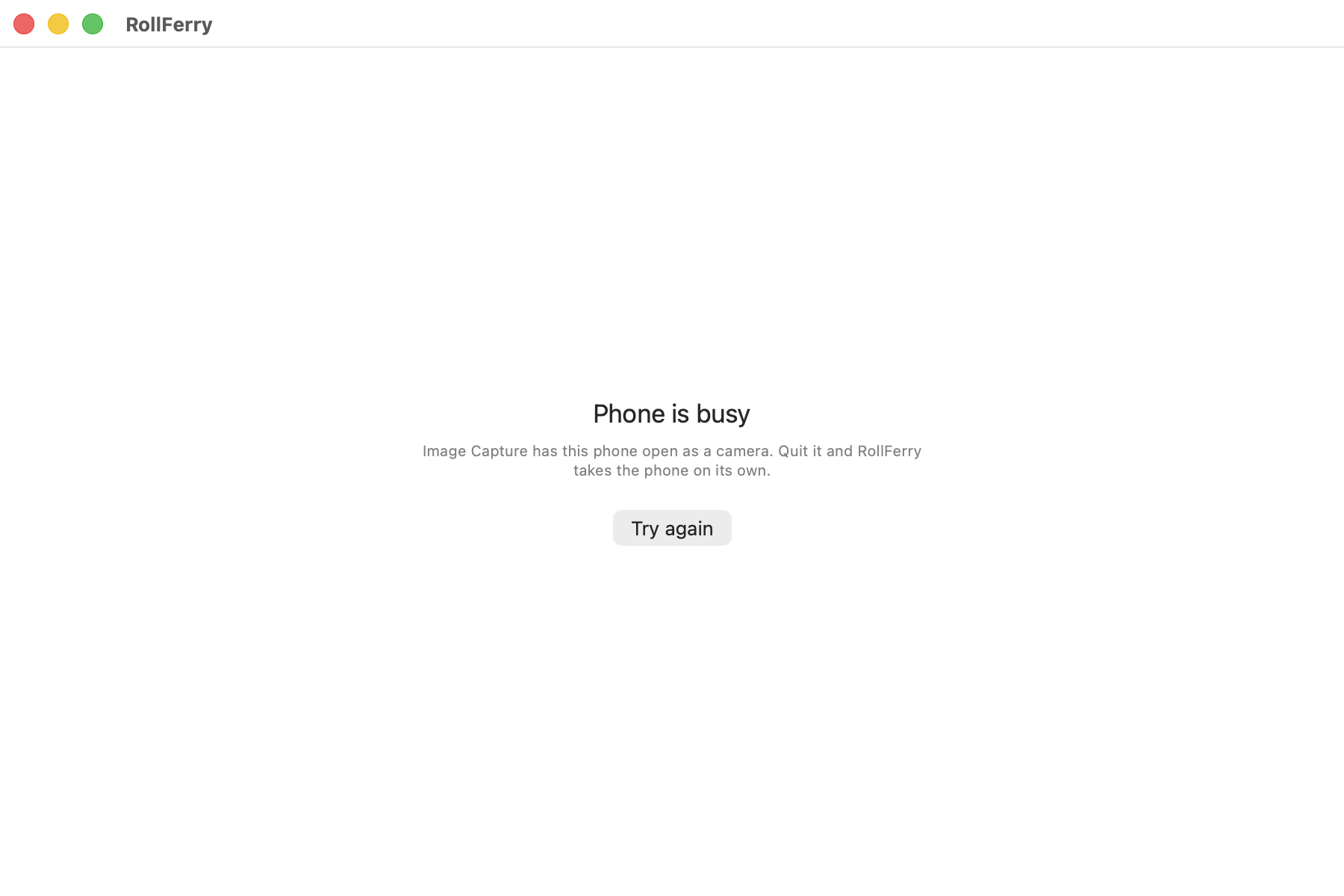
macOS runs a camera service called ptpcamerad. It grabs a phone the moment one
appears, and whichever program claims the phone first keeps it until it lets go.
If the service wins, every other app is locked out, and most of them report that
as “no device found”.
The service only runs when an app that reads cameras is open. Quit these and try again:
- Image Capture
- Photos
- Preview — the surprising one. It reads cameras, so any document open in it is enough to start the service in the background.
If you cannot quit whatever is holding it, this frees the phone at once:
killall -9 ptpcameradThe service starts again the next time something needs it, which does no harm.
3. The cable
Plenty of cables that come with cheap accessories are charge-only: two wires, no data. They charge the phone perfectly and carry nothing else. The cable that came in the phone’s own box is the safe test.
While you are there, try the other USB ports, and if you are going through a hub or a monitor, go straight into the Mac instead.
4. Android File Transfer itself
If the phone is in the right mode, nothing else is holding it, the cable is good, and it still fails, the app is the problem.
Google discontinued Android File Transfer in 2024 and removed the download. It was never updated for Apple silicon in any serious way, it has a 4 GB ceiling on a single file, and on recent macOS releases it often cannot complete the handshake at all. There is no version that fixes this, because nobody is working on it.
Two error messages that mean “stop trying to fix this app”:
- The window opens and immediately says it cannot connect, with the phone demonstrably in File transfer mode and visible to other tools.
- It connects, lists the folders, and then hangs on a large video.
What to use instead
For photos and videos: RollFerry. It talks to the phone directly, shows only what is not on your Mac yet by month, copies each file and then verifies it byte for byte with SHA-256 before it will ever offer to delete anything. If the phone is busy it says so, in those words, and tells you what to quit — rather than reporting it as a missing device.
It has been driven end to end on a OnePlus Nord CE 2 (709 files, 9.8 GB, at about 35 MB/s) and a Xiaomi Redmi 12C. Pull the cable mid-transfer and it loses at most the file that was in flight.
For general files both ways: OpenMTP, free and open source, is the honest recommendation. It is a two-pane file browser, not a photo tool.
The order to try things
- Phone in File transfer mode.
- Quit Preview, Image Capture, Photos — or
killall -9 ptpcamerad. - The cable that came with the phone, straight into the Mac.
- Stop using Android File Transfer.
If your phone still will not show up after all four, write to hello@rollferry.com with the model and what macOS says. Every phone that gets reported gets a fix or an honest answer.