Phone storage full? Move the photos to your Mac
Photos and video are almost always the bulk of it. Copy them to the Mac or a drive over USB, check the copies, and only then delete from the phone.
19 September 2026
“Storage almost full” is nearly always photos and video. A 200-photo weekend is a couple of gigabytes; a four-minute 4K clip is more than a gigabyte on its own. Clearing app caches buys you a week. Moving three years of video off the phone buys you the rest of the phone’s life.
The order that keeps you out of trouble: copy, check, then delete. Every shortcut that reverses those steps is how people lose photos.
Find out what is actually taking the space
On the phone, Settings → Storage breaks it down. If photos and video are not the top two entries, this guide is not your answer — a single app’s cache or a downloaded map pack might be, and clearing that is a two-minute job.
If they are the top two, the question is where to put them.
Where to put them
Your Mac’s internal disk is the simplest and usually the smallest. Check you have room before you start.
An external drive is the usual answer for a real phone-emptying. A 2 TB portable disk costs less than a year of cloud storage and does not renew. Format it as APFS or exFAT, put the photos on it in year and month folders, and it will still open in ten years.
Cloud storage works and is a subscription. If you are here because Google One got expensive, see Google Photos storage full before you sign up for a different one.
Whatever you choose, one copy is not a backup. Two disks, or one disk and one service.
Copying, the free way
Put the phone in File transfer mode — plug in, pull down the notification shade, tap the USB notification, choose it. Then either:
- Image Capture, if you switch the phone to PTP mode instead. It is in your Applications folder, lists the camera roll, and imports it in a flat pile. It does not see screenshots or WhatsApp, does not remember what it took last time, and does not check its copies.
- OpenMTP, free and open source, to drag folders across by hand. It gives you everything on the phone, and leaves the deciding, the sorting and the checking to you.
Both work. Both leave you holding the one question that matters when the next step is deleting: did all of that actually arrive, intact?
Copying with RollFerry
RollFerry exists for that question.
- Plug in. It reads the phone’s media folders — camera, screenshots, and optionally Downloads and WhatsApp. About five seconds for 700 items.
- See what is new. Only what is not on your Mac yet, grouped by month with thumbnails from the phone. Take the oldest two years and leave this month alone, if that is what you want.
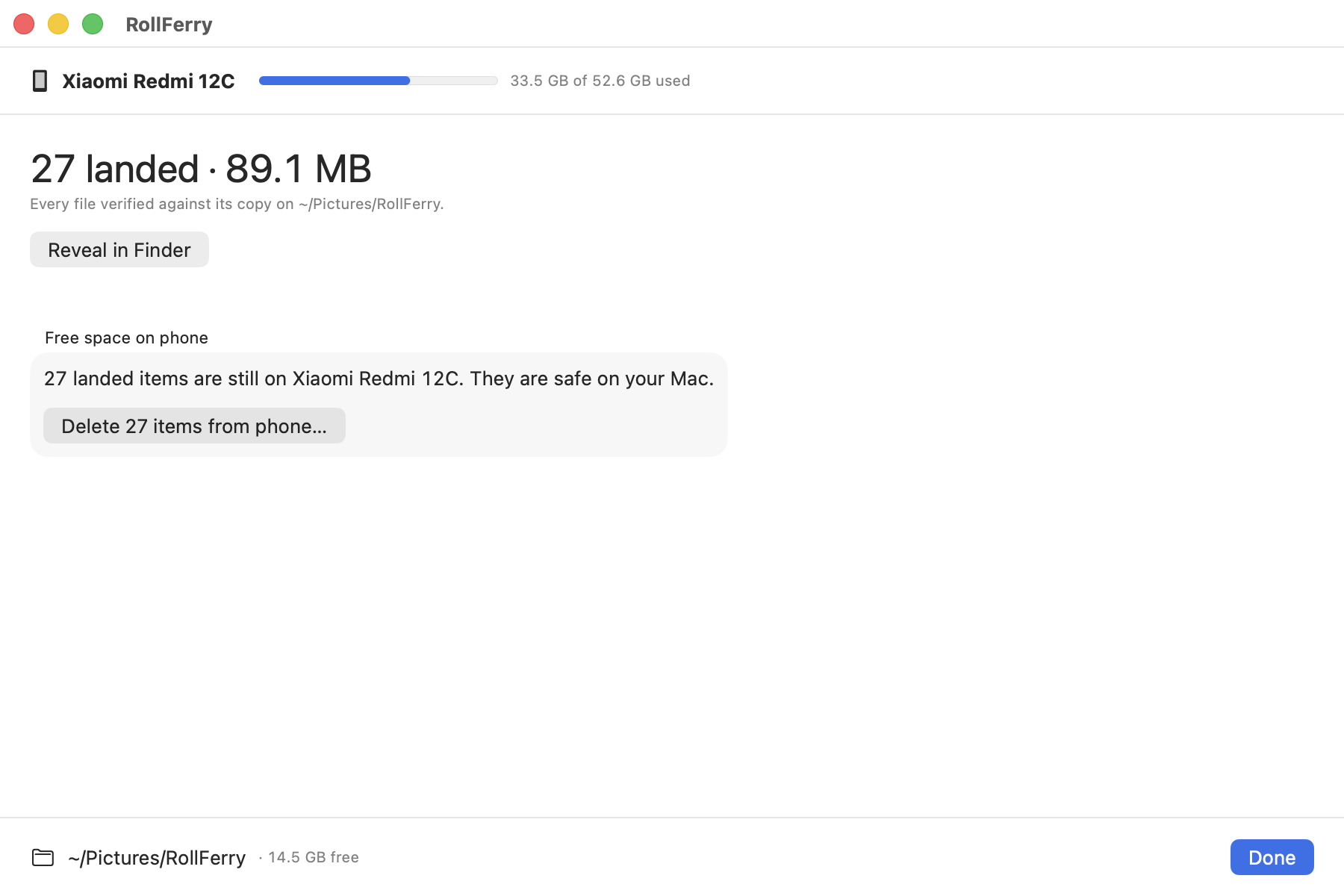
- Cross. Each file is copied and then verified byte for byte with SHA-256. A tick means it landed. Unplug mid-transfer and you lose at most the file in flight; plug back in and it continues from there.
Files land as ordinary files in 2026/08 folders on the disk you chose.
Nothing is renamed, re-encoded or uploaded, and it all works with the network
off.
Then free the space
This is the step everything else was for, and in RollFerry it is deliberately separate: it is off by default, you start it yourself, and it is never part of the copy.
Before deleting a single file it checks that file twice:
- A verified record exists from the crossing — copied, and the checksum matched.
- The copy is still sitting at the destination, at the size that was recorded.
The second check is the one that saves people. If you moved the folder, emptied it, or the drive was unplugged since, the file is kept back on the phone and named in the report instead of being deleted. Anything it cannot prove, it does not touch.
What is not worth deleting
While you are in the storage screen, a few things that look big and are not the problem:
- App caches. They come back within days. Clearing them is a week’s reprieve, not a fix.
- “Other” or “System”. Mostly not yours to remove, and the sizes are misleading.
- Downloads. Usually a few hundred megabytes and genuinely worth a look, but it is not where the gigabytes are.
Photos and video are where the gigabytes are, and video is where most of that is. A single phone with four years on it will often hold more video by size than everything else combined.
A sensible routine
- Copy everything older than this month to the drive.
- Open ten of them at random, from different years. Look at them.
- Back up the drive.
- Free the space on the phone.
- Do it again in six months — the second time only shows you what is new, so it takes a fraction as long.
Download the trial. Scanning and browsing are free and unlimited, so you can plug the phone in, see how many gigabytes are actually sitting on it, and decide from there.